
 Posted by
 Whether you’re logging in for the first time or you’ve forgotten your password mid-filing-season, this guide covers everything you need to know about the FBR IRIS portal registration, login, password reset, dashboard navigation, and what you can do once inside.
What Is the FBR IRIS Portal?
IRIS (Integrated Revenue Information System) is FBR’s official online taxpayer portal at iris.fbr.gov.pk. It’s where every Pakistani taxpayer salaried, business, or freelancer registers, files income tax returns, submits wealth statements, pays tax, responds to notices, and downloads certificates. Registration and filing are free; you only pay any tax that’s actually due.
Security first: FBR will never ask for your password, PIN, or OTP by phone, SMS, WhatsApp, or email. Never share them with anyone. Always check the URL is iris.fbr.gov.pk before entering credentials.
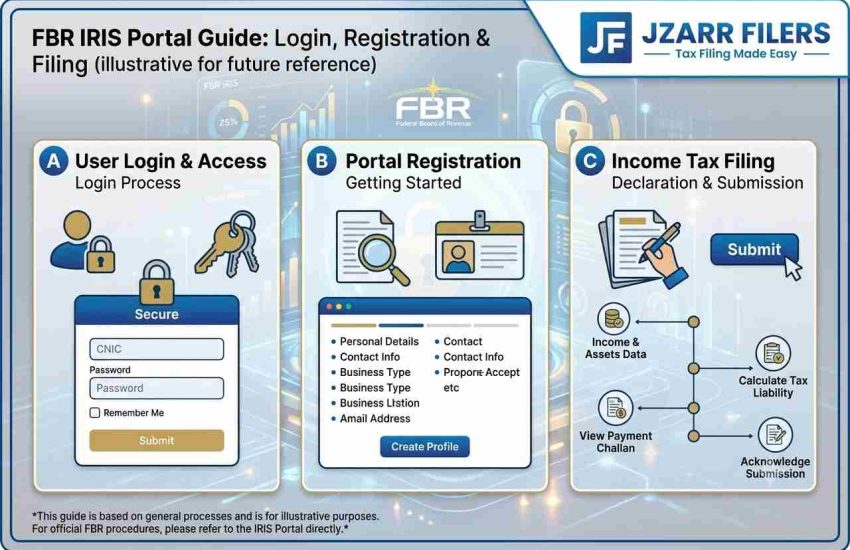
How to Register on IRIS (First-Time Users)
If you’ve never used IRIS, you need to register. IRIS registration creates your taxpayer account and, for individuals, your CNIC becomes your NTN.
- Go to fbr.gov.pk and click “Registration for Unregistered Person” below the login fields.
- Select your citizen type (Resident Pakistani, Non-Resident, or Foreign National).
- Enter your 13-digit CNIC (no dashes), full name exactly as on your CNIC, mobile network and number, and email address.
- Complete the captcha and submit.
- FBR sends two OTP codes one by SMS, one by email. Enter both to verify your identity.
- After verification, IRIS sends your temporary login credentials (username + password) by SMS and email. Save them securely.
- Log in, set a strong new password, and complete your taxpayer profile.
For the full registration + NTN walkthrough, see our NTN registration guide.
How to Log In to FBR IRIS
FBR IRIS login is straightforward:
- Open fbr.gov.pk in Chrome or Firefox (avoid Internet Explorer, it causes issues).
- Enter your Registration No. (your 13-digit CNIC for individuals, or 7-digit NTN for companies).
- Enter your password.
- Complete the captcha and click Login.
After logging in, you land on the IRIS Dashboard, your central hub for filing, notices, profile, and certificates.
How to Reset Your IRIS Password
Forgot your password? The IRIS password reset process is quick — as long as you still have access to your registered mobile and email:
- Click “Forgot Password” on the IRIS login page.
- Enter your CNIC or NTN.
- Choose to receive a reset code by SMS or email.
- Enter the verification code sent to you.
- Set a new strong password and log in.
Lost Access to Your Registered Mobile or Email?
This is the hard case. IRIS will not send a code to contacts you no longer control and no online workaround exists (by design, for security). You must:
- Visit your nearest Regional Tax Office (RTO) in person with your original CNIC.
- Ask the Taxpayer Facilitation Counter to update your registered mobile and email.
- Once updated, use the Forgot Password flow to reset.
Your IRIS Dashboard: What You Can Do
Once logged in, the left-panel menu gives you access to everything:
- Declaration: file income tax returns (u/s 114) for any tax year
- Wealth Statement: file or view your Section 116 wealth statement
- Registration (Form 181): update your taxpayer profile address, employer, bank accounts, business details
- Payment: generate a PSID (Payment Slip ID) and pay tax online or via bank
- Notices & Orders: view and respond to any notices from FBR
- Certificates: download your tax certificate, acknowledgement, and registration certificate
- ATL Status: check whether you’re on the Active Taxpayer List
The Profile Update Prompt (Don’t Panic)
Since July 2025, many users see a message: “Your profile is not updated since July 1, 2025. Please proceed to update your profile.” This is not an error IRIS is asking you to refresh your taxpayer profile (bank accounts, employer, utility connections) via Form 181 before the return form unlocks. Complete it once and the prompt clears.
Common IRIS Errors & Fixes
| Problem | Fix |
| Captcha not loading / incorrect | Refresh the page; use Chrome or Firefox; clear your browser cache |
| Session timeout / auto logout | IRIS times out after inactivity save your work often; re-login |
| NTN / CNIC not found | Enter CNIC without dashes; ensure you’re registered; check the registered mobile is active |
| Return won’t submit | Ensure wealth statement reconciles; check both forms are complete; clear cache and retry |
| PSID payment not reflecting | Wait 24 hours; if still not updated, call FBR helpline |
| Portal slow / unresponsive | Common near the 30 Sept deadline file early; try off-peak hours (early morning) |
IRIS Security Tips
- Always check the URL is iris.fbr.gov.pk before entering anything.
- Never share your password, PIN, or OTP with anyone not even someone claiming to be from FBR.
- Use a strong, unique password (mix of letters, numbers, symbols).
- Keep your registered mobile and email up to date, they’re your only recovery route.
- Download and save your return acknowledgement and certificates after filing.
FBR Helpline
If you’re stuck, contact FBR: 051-111-772-772 (9am–5pm weekdays). For IRIS technical issues, use the “Feedback” button inside the portal.
Frequently Asked Questions
Q: What is the IRIS portal URL?
The official portal is iris.fbr.gov.pk. Always verify the URL before entering your credentials.
Q: How do I log in to IRIS for the first time?
If you’re already registered, go to iris.fbr.gov.pk, enter your CNIC as the username, your password, complete the captcha, and click Login. If you haven’t registered, click “Registration for Unregistered Person” first.
Q: How do I reset my IRIS password?
Click “Forgot Password” on the login page, enter your CNIC, and a reset code will be sent to your registered mobile or email. If you’ve lost access to both, visit your nearest RTO with your CNIC.
Q: Why does IRIS ask me to update my profile?
Since July 2025, IRIS prompts users to refresh their taxpayer profile (Form 181) before filing. It’s not an error complete the update once and the prompt clears.
Q: What browser should I use for IRIS?
Chrome or Firefox. Avoid Internet Explorer, which causes captcha and session issues.
Q: Is IRIS slow near the deadline?
Yes. The portal gets overloaded near 30 September. File early or use off-peak hours (early morning) to avoid timeouts.
Q: Can I file my return on IRIS for free?
Yes. Filing on IRIS is free, you only pay any tax that is actually due.
Stuck on IRIS? We’ll Handle It
Portal errors, profile prompts, and password issues waste hours every filing season. JZARR Filers (Karachi) files your income tax return, wealth statement, and profile updates on IRIS for you, accurately and without the frustration.
Beat the 30 September 2026 deadline. Book your free consultation today.