
 Posted by
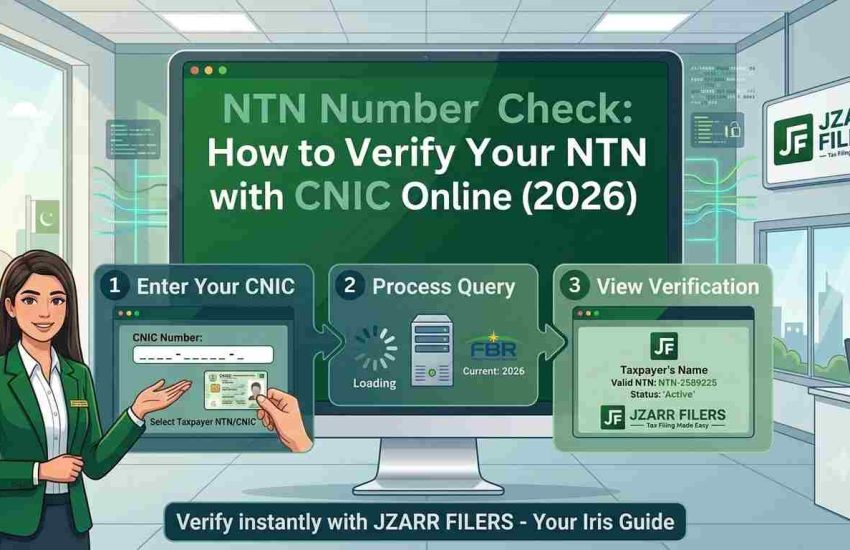
 Need to confirm whether you’re registered with FBR, or find your National Tax Number before a bank or property transaction? An NTN number check takes less than two minutes. This guide shows you every way to verify your NTN with CNIC online on the FBR portal, by SMS, and through the Tax Asaan app.
What Is an NTN Number Check?
An NTN number check confirms whether a person or business is registered with the Federal Board of Revenue (FBR) and shows their registration details. For individuals, the NTN is the same as the 13-digit CNIC, so you verify it using your CNIC. For AOPs and companies, a 7-digit NTN is issued.
Good to know: An NTN check tells you if you’re registered. It does not tell you if you’re a filer. To confirm filer status, check the Active Taxpayer List (ATL) covered below.
Why You Might Need to Check Your NTN
- Before filing your income tax return
- When opening a business or personal bank account
- Before buying or selling property or a vehicle (to confirm filer rates)
- When a client, employer, or bank asks for your NTN
- To confirm your registration was processed successfully after applying
- To verify a supplier or business partner is tax-registered
Method 1 — Check NTN with CNIC on the FBR Portal (Online)
This is the most complete method and needs no login. It works for an NTN inquiry by CNIC, NTN, passport, or registration/incorporation number.
- Go to the FBR Online Verification services (via gov.pk or the IRIS portal).
- Select “Taxpayer Profile Inquiry”.
- Under Parameter Type, choose your input type for individuals, select CNIC.
- Enter your 13-digit CNIC (without dashes) in the Registration No. field.
- Type the captcha code and click Verify.
If you’re registered, your NTN and registration details appear on screen instantly. If nothing shows, you likely aren’t registered yet.
Method 2 — NTN & Filer Status Check by SMS (9966)
No internet? Use FBR’s SMS service on the shortcode 9966. Use the SIM registered against your CNIC for reliable results. The service works on Jazz, Zong, Telenor, and Ufone.
| To check | SMS format → send to 9966 |
| Individual registration / status | Type your 13-digit CNIC (no dashes) and send to 9966 |
| Individual Active Taxpayer (ATL) status | ATL (space) 13-digit CNIC → 9966 |
| AOP / Company ATL status | ATL (space) 7-digit NTN → 9966 |
| AJ&K individual status | AJKATL (space) CNIC (no dashes) → 9966 |
You’ll get an automated reply within seconds confirming your status and your NTN status where applicable.
Method 3 — Check NTN on the Tax Asaan App
FBR’s official mobile app, Tax Asaan (Android and iOS), lets you check your NTN and filer status from your phone. You don’t even need to log in use the guest feature, open the ATL / Status section, and enter your CNIC or NTN. This is the quickest option for salaried individuals who prefer their phone over the desktop portal.
How to Check Your Filer (ATL) Status
Being registered (having an NTN) is not the same as being a filer. To confirm you’re on the Active Taxpayer List:
- Use FBR’s ATL verification tool online and enter your CNIC, or
- SMS ATL (space) CNIC to 9966, or
- Download the weekly ATL Excel file from the FBR website and search your CNIC/NTN.
If you show as inactive or aren’t listed, you need to file your return to become active. See our guide on how to become a filer in Pakistan.
What to Do If Your NTN Isn’t Found
If your CNIC returns no result, one of these is usually the reason:
- You’re not registered yet. You need to complete NTN registration first.
- Registration is still processing. Wait a day or two after applying and check again.
- You entered the CNIC incorrectly. Re-check the 13 digits and remove any dashes.
Not registered yet? Read our full guide on NTN registration in Pakistan, or let us handle it for you.
Frequently Asked Questions
Q: How do I check my NTN with my CNIC?
Visit FBR’s Online Verification, select “Taxpayer Profile Inquiry,” choose CNIC as the parameter type, enter your 13-digit CNIC, complete the captcha, and click Verify. Your NTN details appear instantly if you’re registered.
Q: Is NTN verification on FBR free?
Yes. Checking your NTN on the FBR portal is completely free. The SMS service to 9966 is free on most networks, though standard SMS rates may apply on some.
Q: What is my NTN if I’m an individual?
For salaried individuals and sole proprietors, your NTN is your 13-digit CNIC number. AOPs and companies get a separate 7-digit NTN.
Q: How do I check my NTN by SMS?
Type your 13-digit CNIC (no dashes) and send it to 9966. For filer status, type “ATL (space) CNIC” and send to 9966.
Q: Does an NTN check show if I’m a filer?
No. An NTN check confirms registration only. To see filer status, check the Active Taxpayer List by CNIC on FBR, the Tax Asaan app, or by SMS to 9966.
Q: My NTN isn’t showing, what does that mean?
You’re likely not registered yet, your registration is still processing, or you mistyped your CNIC. If you’ve never registered, you’ll need to complete NTN registration first.
Need Help Registering or Verifying Your NTN?
If your NTN check comes back empty, or you’re not sure whether you’re an active filer, we can sort it out fast. JZARR Filers (Karachi) handles NTN registration, filer status, and income tax filing for individuals, freelancers, and businesses.
Book your free consultation today and get registered and active without the hassle.
Please show my ntn number
Please Contact on this number: +92-326-848-4214
Ntn no
Please Contact on this number: +92-326-848-4214
Need NTN
Please Contact on this number: +92-326-848-4214
asslamualikum
plz tell me Ntn (Filler) Charges?
Please Contact on this number: +92-326-848-4214