
 Posted by
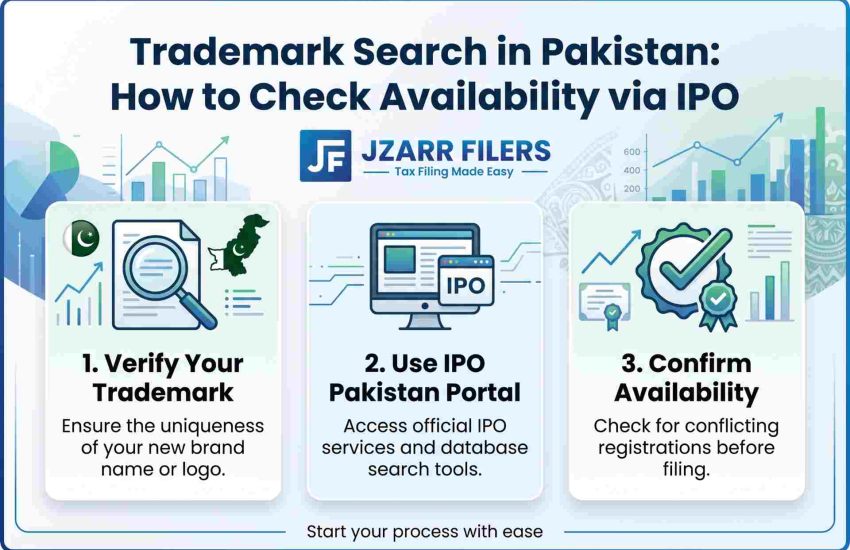
 Before you invest time and money in registering a trademark, you need to know if it’s available. A trademark search in Pakistan tells you whether your proposed brand name, logo, or slogan is already registered or too similar to an existing mark. Skipping this step is the #1 cause of objections, wasted fees, and registration delays.
Search is not mandatory, but it’s essential. IPO-Pakistan does not require you to search before filing, but filing without searching is like driving blind, if a conflicting mark exists, your application will be objected to and you’ll lose both time and the filing fee.
Why Do a Trademark Search?
- Avoid rejection: discover identical or similar marks before you file, not after
- Save money: a search costs Rs 1,000; a rejected application costs Rs 3,000+ in lost filing fees
- Plan your brand: if your first choice is taken, you have time to create alternatives before investing in branding
- Avoid legal disputes: using a mark that’s already registered can result in infringement action against you
Types of Trademark Search
| Search type | What it checks |
| Word mark search | Searches for identical or similar word marks (brand names, slogans) in the registry |
| Device / logo search | Searches for similar logos, labels, and graphic elements using the Vienna Classification code |
| Numeral search | Searches for marks that are numbers or contain numerals |
| Combined search | Word + device together recommended when your brand uses both a name and a logo |
Each search covers one class only if your brand spans multiple classes, you need a separate search for each. See trademark classes in Pakistan to identify your class.
Method 1 – IPO Online Search (Free, Basic)
IPO-Pakistan offers a basic online trademark search on its website:
- Go to the IPO-Pakistan website (ipo.gov.pk).
- Navigate to the “Trademark” section and click “Search Trademark.”
- Enter your proposed mark (word or numeral) and select the class.
- Review the results for identical or similar marks.
This search is keyword-based and free, but it’s limited it may not catch phonetically similar marks, device/logo conflicts, or marks in other classes. Use it as a quick first check, not as your only search.
Method 2 – Formal Search via Form TM-55 (Official, Recommended)
For a thorough, official search, file Form TM-55 with IPO-Pakistan. This is the formal trademark verification method:
- Download Form TM-55 from gov.pk or collect it from an IPO office (Karachi, Lahore, or Islamabad).
- Fill in the proposed trademark (word and/or device), the class, and your applicant details.
- Attach two clear representations of the mark.
- Pay the search fee of Rs 1,000 per mark per class via pay order or bank draft payable to the Director General, IPO-Pakistan.
- Submit the form and payment to an IPO office.
- IPO’s Trade Marks Registry conducts the search and issues an official search report listing any identical or similar marks found on the register.
This report gives you a much more reliable picture than the free online search, and it’s what trademark professionals use before advising clients to proceed.
Method 3 – In-Person Search at IPO (Quick, Confidential)
IPO also offers a personal search facility at its offices: for Rs 300, you get 15 minutes of access to the trademark database on-site.
You can search across any number of classes in that time, and the search is private results are not recorded on the official file. This is useful for quick exploratory checks.
What to Look For in Search Results
When reviewing results, watch for marks that are:
- Identical – exactly the same word or logo
- Phonetically similar – sounds the same when spoken (e.g. “Kleen” vs “Clean”)
- Visually similar – looks alike in style, font, or design
- Conceptually similar – conveys the same idea or meaning
- In the same or related class – similarity matters most when goods/services overlap
If you find a conflicting mark, consider modifying your brand, choosing a different class, or getting professional advice on whether your mark is distinct enough to proceed.
Trademark Search vs SECP Name Search
These are two separate systems. A name approved by SECP for company registration does not mean it’s clear as a trademark and vice versa.
If you’ve registered a company, also search the trademark register before using the name on your products/services. See SECP company name search for the company-side process.
Common Search Mistakes
- Searching only the exact name missing phonetic and visual variants
- Searching only one class when your brand spans multiple
- Relying solely on the free online search without a formal TM-55
- Not searching the device/logo separately from the word mark
- Assuming a clean search guarantees registration (the examiner may still raise objections on distinctiveness or other grounds)
Frequently Asked Questions
Q: How do I check if a trademark is available in Pakistan?
Start with the free online search on ipo.gov.pk for a quick check, then file Form TM-55 with Rs 1,000 for an official search report from the Trade Marks Registry. Search one mark per class.
Q: How much does a trademark search cost?
The free IPO online search costs nothing. A formal TM-55 search costs Rs 1,000 per mark per class. An in-person search at IPO offices costs Rs 300 for 15 minutes.
Q: Is a trademark search mandatory before filing?
No, but it’s strongly recommended. Filing without searching risks objections, lost fees, and registration delays if a conflicting mark exists.
Q: Does the search cover logos too?
The online search is keyword-based (word marks). For logos and device marks, file a TM-55 specifying the Vienna Classification code, or use the in-person search facility.
Q: Is a clean search result a guarantee of registration?
No. A clean search means no conflicting marks were found on the register, but the examiner may still raise objections on distinctiveness or other grounds during examination.
Q: Does an SECP name search cover trademarks?
No. SECP company registration and trademark registration are separate systems. You should search both before committing to a brand name.
We’ll Search and Clear Your Trademark
A proper search word, device, all relevant classes is the foundation of a smooth registration. JZARR Filers (Karachi) runs a comprehensive trademark search, identifies conflicts, and advises on the safest path forward before you spend on filing.
Book your free consultation today and protect your brand with confidence.